
News Blog & Press
How To Tell If A Link Is Safe
Always use TraceFree to open it.

News | Back to all news |
How To Tell If A Link Is Safe
You get a link in an email and it looks tempting to click on, but how do you know if it safe? There is no foolproof way to Spot A Phishing Link.
Cyberthieves know how to create a spoof link (you can create a spoof link here).
The rule of thumb is to hover your mouse over the link and look in the bottom left hand corner to see the actual website address.
This is a test we give our clients:
Hover your mouse over “CLICK HERE”, look in the bottom left hand corner to see where the link takes you (should say our site https://www.tracefree.com) …then click on it.
What happened is that the link instructed your browser to open up your computer.
Don’t worry nothing bad happened. This is the same thing as if you were to upload a picture to Shutterfly or Dropbox.
The point is you can NEVER trust a link to say where it will take you….NEVER.
There is a way to open ANY link without worrying if it is bad.
Open any link safely with TraceFree
Using almost any browser, when you see a link you are unsure of, hover over it, then RIGHT CLICK ON IT which opens up a context menu.
Left click on “Open Link in TraceFree” and the link is opened on OUR SERVER, not your computer. Your computer is safe.
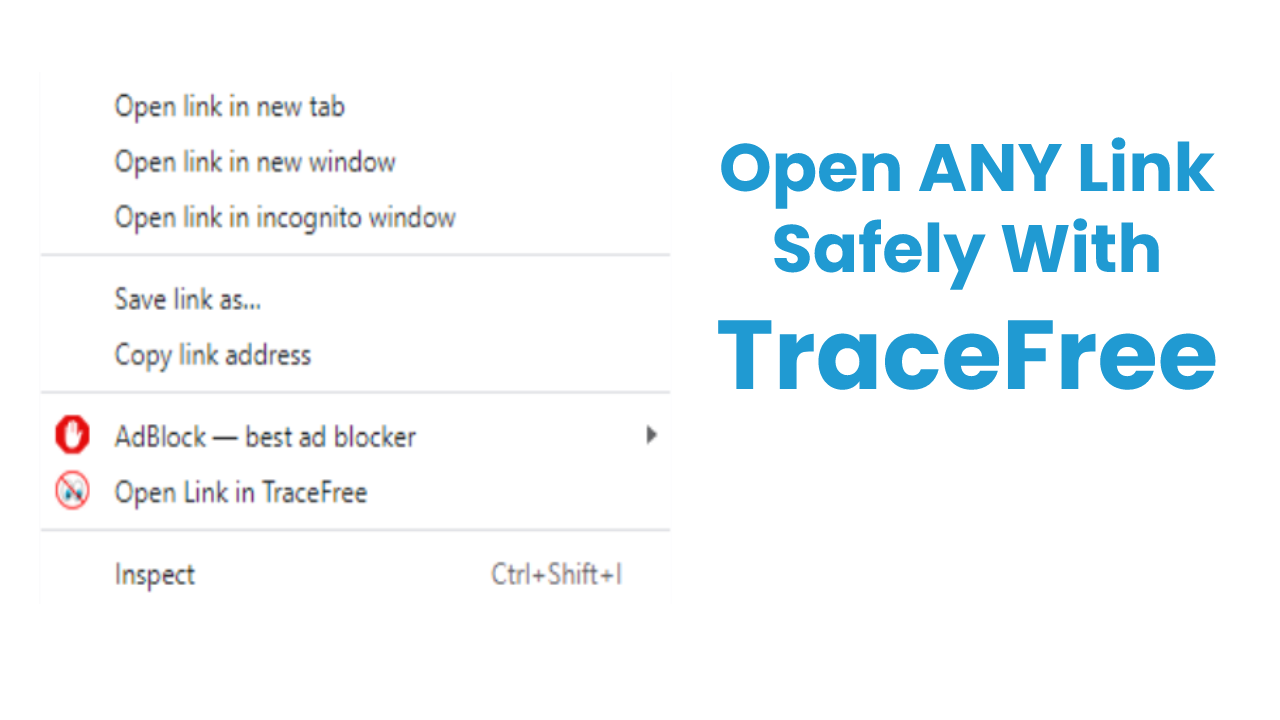
You no longer have to fear if a link is safe to open, or if an attachment is safe to download when you use TraceFree.
More businesses and consumers are using the “right click” app from TraceFree to protect their networks and computers.
This neat feature is why TraceFree is the only Virus Free Browser.
You can read more about Website Spoofing 101
If you want to be completely safe and private on the Web get TraceFree.
Do you want a Safe & Private Web?
Do you want to make sure EVERY link is safe to open?
Start your 7 Day Free Trial today.
Popular Posts
- A True Online Privacy Test
- Dept of Defense Adopts Cloud Browser
- Online Privacy Tips
- A Virus Free Browser For Windows
- 4 Things A VPN Won't Tell You
- Google Is Tracking You On Sex Sites
- How To Hide Your Identity Online
- The Difference Between TraceFree & A VPN
- How To Always Get The Lowest Prices On Amazon
- There's No Such Thing As A Private Search Engine






Introducing Trace Free

The Safest Way To Browse The Web
“Always Safe Always Private Browsing”