
News Blog & Press
The Online Privacy Test
Want to see how private and secure your browser REALLY is?

News | Back to all news |
The Online Privacy Test
Want to see how private and secure your browser REALLY is?
A private browser, VPN and browser extensions all claim to keep you private online but have you ever really tested them to be sure? There are tests online to determine your bandwidth speed, your IP address and your browser fingerprint but there is no test for the most important factor in determining how private and secure you are online.
Now there’s finally a true Online Privacy Test.
If you use a VPN, or a browser that rhymes with “door” or “save”, then this privacy test is must for you!
A Free & Easy Way To Tell If Your Browser Is REALLY Keeping You Private
The privacy test consists of 4 links that will determine how much data you reveal online when browsing and who can see this data. it will also determine how effective your antivirus program is.
If you do only one of the tests, BE SURE TO DO #4 on The Challenge. It is the litmus test of online privacy.
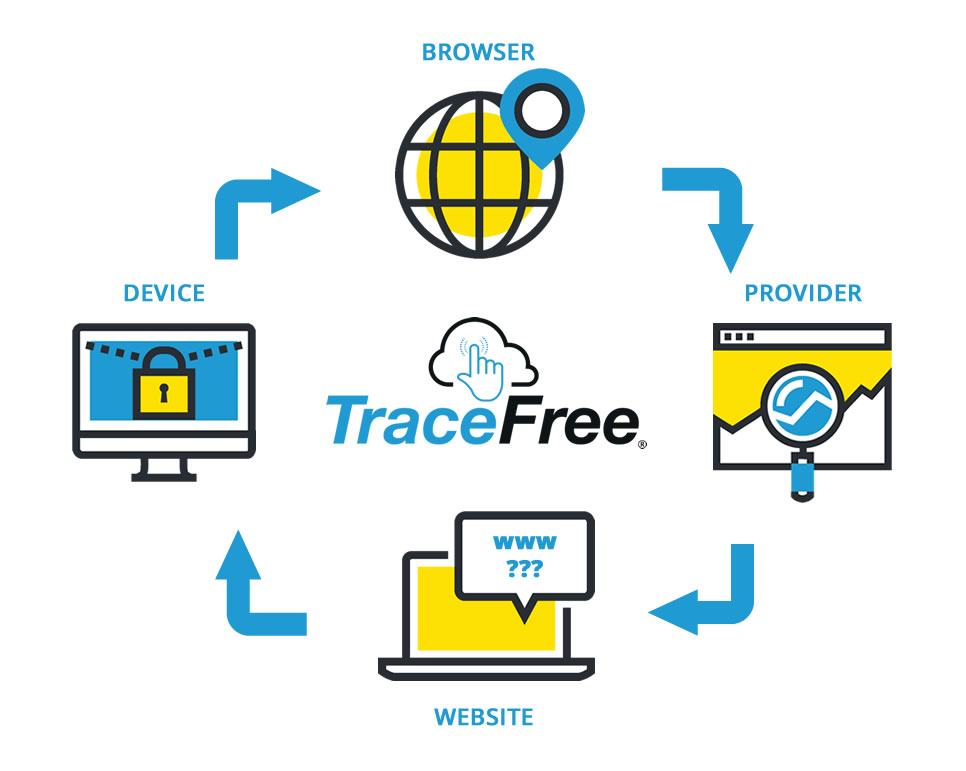
Where Your Private Browsing Solution Fails
The (1) device holds the (2) browser, that connects to the Internet through your (3) provider and visits a (4) website. EVERY website you visit, your computer shares data (through your browser) with another computer. It is this interaction that determines whether you are private and secure online.
If a website can touch your device, it is NOT POSSIBLE to be private and secure online.
The Best Private Browser is TraceFree
- Websites cannot identify or track you
- Your Internet Provider cannot see what sites you visited
- There is no browsing evidence on your device
- You cannot get a virus while browsing
TraceFree is the virus free browser that always keeps you completely private online.
Take the Privacy Test and then start a free 30 Day Free Trial of TraceFree (no credit card required). We don’t just say you’re private and secure, we PROVE IT.






Introducing Trace Free

The Safest Way To Browse The Web
“Always Safe Always Private Browsing”