
News Blog & Press
How To Hide From Big Tech
There’s an easy way to know if you do.
News | Back to all news |
How To Hide From Big Tech
Do you use a VPN, Tor, private browser or a private search engine and think you’re hiding your browsing from Big Tech?
You better think again.
Here is THE SECRET to private browsing. Big Tech identifies and tracks you by your computer.
Your computer can now be identified ANYTIME you connect to the Internet.
Did you ever click on one of those annoying reCaptcha puzzles or clicked the “Are you a robot” test? Did you ever click the “Skip ads” on a YouTube video?
Congratulations, Google identified your computer and all of its identifiers.
Who is the largest funder of the Tor Project? You guessed it, the U.S. Govt.
Here is how regular browsing works, even if you use a VPN, Tor, Brave or a private search engine.
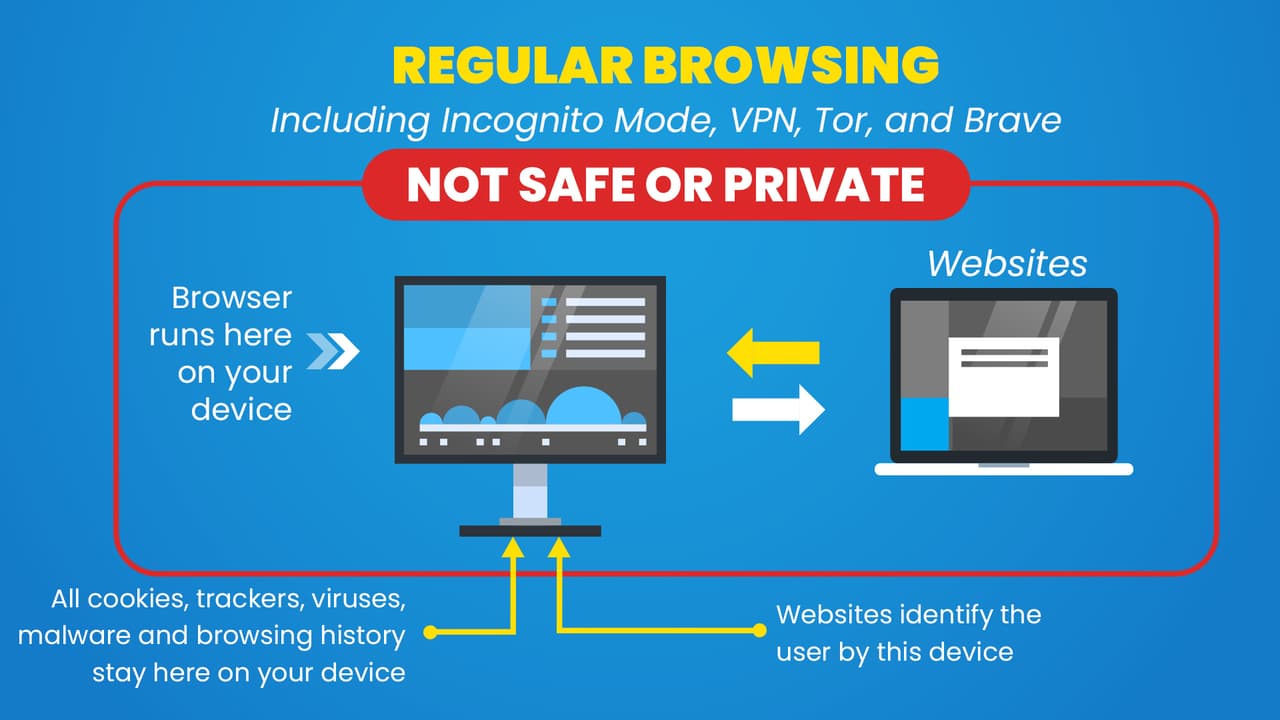
You will notice that your computer directly interacts with the computer of the website. It doesn’t matter if you hid your IP address or encrypted your traffic.
The website was able to identify your computer and chances are VERY GOOD there is a bunch of Big Tech computer code on it.
You CANNOT be completely private or secure if data is sent from your computer and downloaded to your computer..period.
Now here is how TraceFree, the ONLY virtual private browser works.
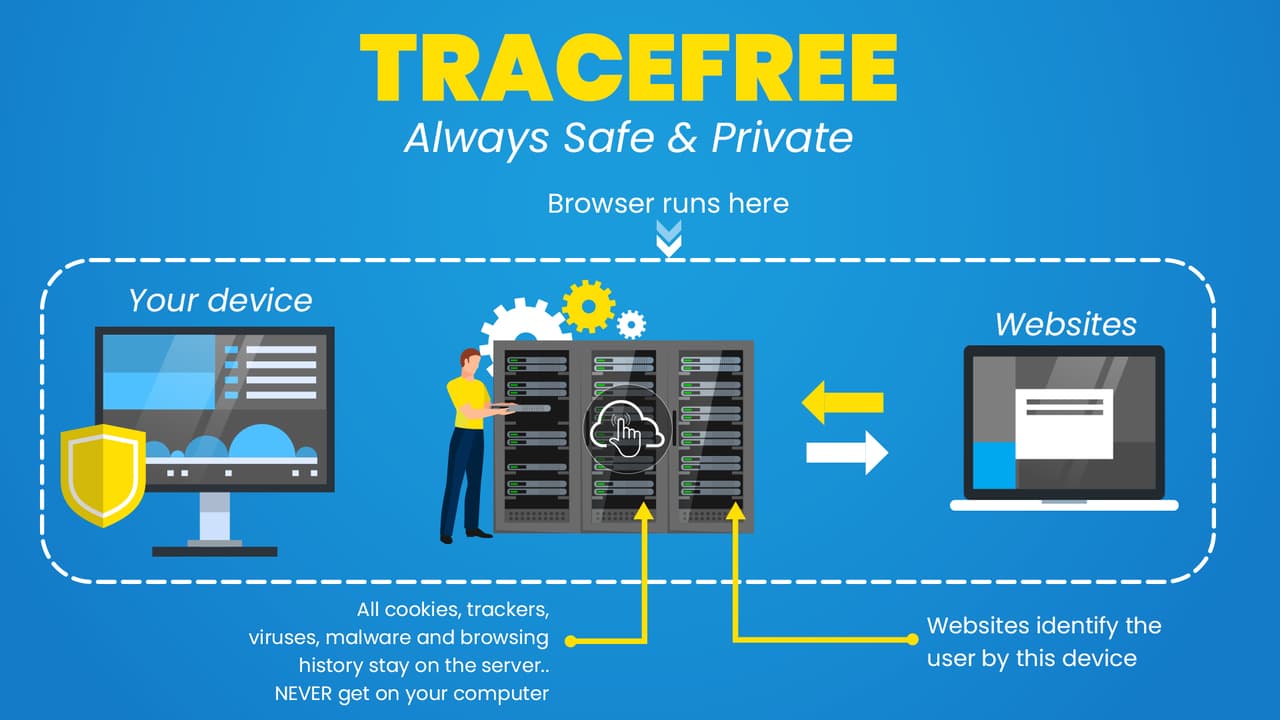

TraceFree Hides Your Computer From Big Tech
You will notice that the browser runs on a server in the cloud and NOT on your device.
Websites interact with the server and NEVER see or touch your computer.
Big Tech identifies and tracks that server, they cannot see your computer when browsing.
Sure there is still all of that Big Tech computer code on every website but it never touches your computer.
You can now finally hide from Big Tech by using TraceFree, the only virtual private browser.
When you want to be COMPLETELY anonymous on the Web, run the browser in the cloud and NOT on your computer with TraceFree.
Other Suggested Reading:
- How to Tell If Google Is Tracking Your Computer
- Is Google Tracking The Tor Browser
- The FTC Reveals Big Tech’s Biggest Threat
- 10 Things You Didn’t Know About Google
- Google Is Tracking You On Sex Sites
Start your 30 Day Free Trial today.
Popular Posts
- A True Online Privacy Test
- Dept of Defense Adopts Cloud Browser
- Online Privacy Tips
- A Virus Free Browser For Windows
- 4 Things A VPN Won't Tell You
- Google Is Tracking You On Sex Sites
- How To Hide Your Identity Online
- The Difference Between TraceFree & A VPN
- How To Always Get The Lowest Prices On Amazon
- There's No Such Thing As A Private Search Engine






Introducing Trace Free

The Safest Way To Browse The Web
“Always Safe Always Private Browsing”