
News Blog & Press
How To Browse Safely
Virus free browsing only happens when your browser is isolated from your computer.
News | Back to all news |
How To Browse Safely
Browsing safely is determined more by WHERE the browser runs than the actual browser.
In order to view a website, EVERY browser must download the data that a website sends.
When you look at the image of “Regular Browsing” below, notice that data (which can include viruses) can get downloaded to your computer.
Even the best anti virus program is unable to stop the best cyberthief.
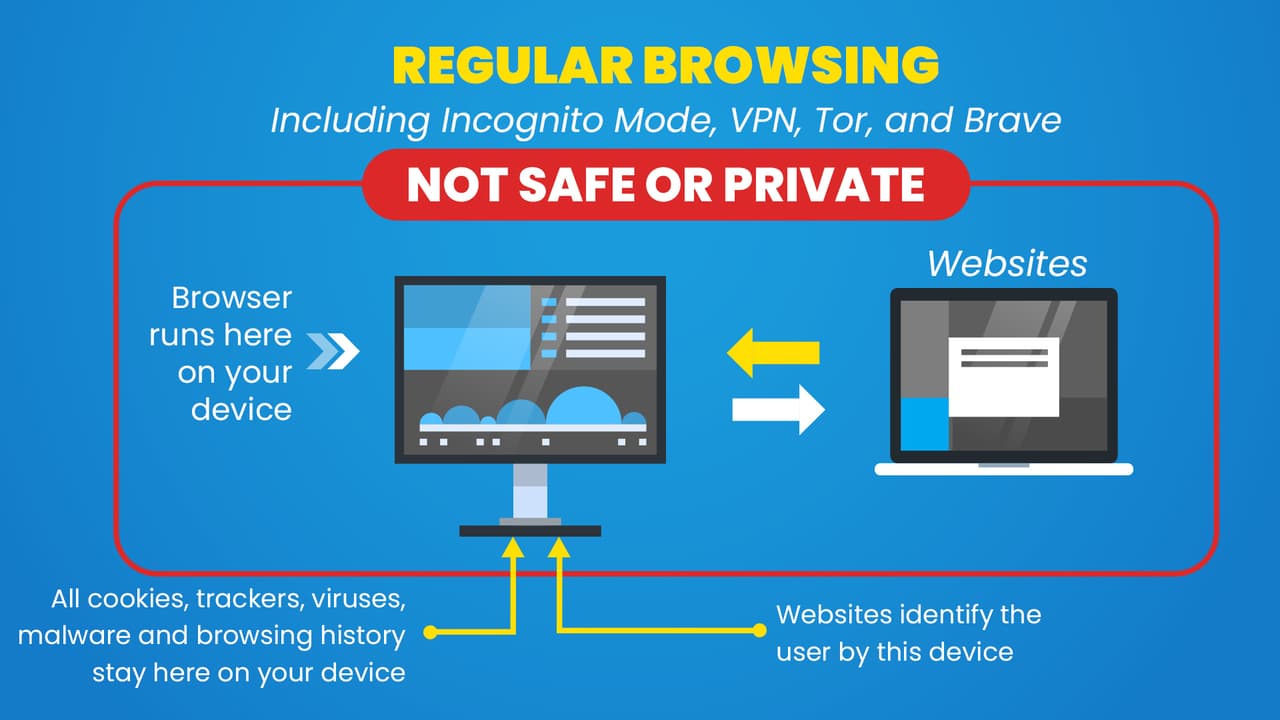
Because your anti virus program can never catch every virus before it gets on to your computer, you need to isolate the browser from your computer.
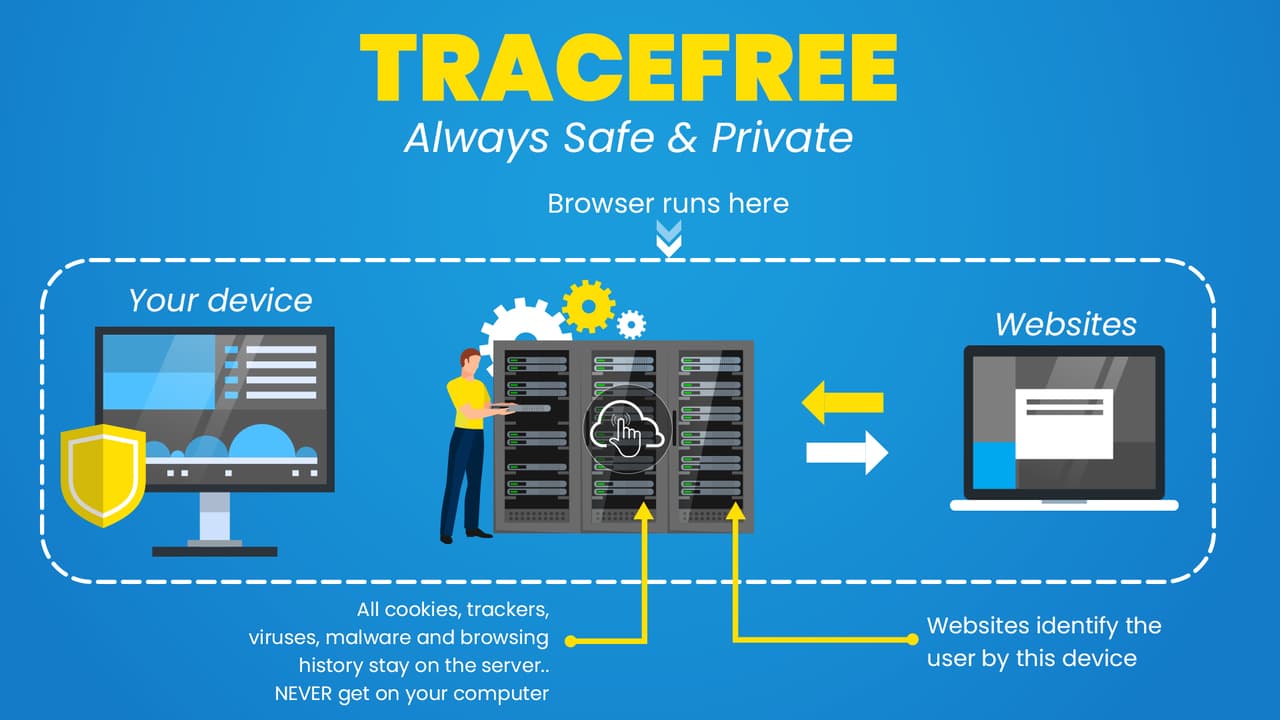
When you run your browser in the cloud, ALL data gets opened by the server and NOT your computer.
Look at the “TraceFree Browser” image below and you can see that data from a website can never touch your computer.
Any viruses are opened on one our servers and NEVER your computer.
TraceFree is the only virus free browser.

To Browse Safely, Use TraceFree
Not only is TraceFree the ONLY virus free browser but because all data is opened on our servers, it is the best private browser as well.
Keeping the browser isolated from your computer means NO PERSONAL DATA is ever shared on the Web..
There is also no browsing evidence on your device either.
When you want to be COMPLETELY anonymous and safe on the Web, run the browser in the cloud and NOT on your computer with TraceFree.
Other Suggested Reading:
- What Is The Safest Browser?
- How To Tell If A Link Is Safe
- What Is A Virtual Private Browser?
- What Is A Remote Browser?
- Test A Link Before Opening
Do you want a Safe & Private Web?
Start your 7 Day Free Trial today.
Popular Posts
- A True Online Privacy Test
- Dept of Defense Adopts Cloud Browser
- Online Privacy Tips
- A Virus Free Browser For Windows
- 4 Things A VPN Won't Tell You
- Google Is Tracking You On Sex Sites
- How To Hide Your Identity Online
- The Difference Between TraceFree & A VPN
- How To Always Get The Lowest Prices On Amazon
- There's No Such Thing As A Private Search Engine






Introducing Trace Free

The Safest Way To Browse The Web
“Always Safe Always Private Browsing”